Our demographic reports are professional, easy to read and have all the data you need to see for your sites. Designed by brokers, our demographic reports provide the data you need to make better commercial real estate decisions.
What Is Demographic Data in Commercial Real Estate?
Demographic data describes the people living in a market, including population, income, households, education, age, gender, race and ethnicity, and occupation. Commercial real estate professionals use it to evaluate sites, define trade areas, and show tenants or clients who their customers are. REGIS Online provides hundreds of demographic variables for locations across the United States, drawn from census and modeled data supplied by Applied Geographic Solutions (AGS) and refreshed every six months, with unlimited demographic reports and map shading included.
Demographic Data Available in REGIS Online
Built with retail brokers in mind, our demographic data is here to help you locate and validate sites across the nation. Choose from hundreds of variables, including the core categories below.
Population
See estimated growth, current numbers, and historical annual growth.
Income
See average or median household incomes and income per capita.
Households
See the number of people in a home and how many cars they have available.
Education
See the highest level of education the population in the area has achieved.
Age & Gender
See how the population in an area breaks down by age and gender.
Race & Ethnicity
See the total population for each race or ethnicity with projected growth.
Occupation
See the types of occupations held by the population in the area.
Marital Status
See how the population in an area breaks down by marital status.
Hundreds More
Choose from hundreds of additional demographic variables to fit the needs of your site analysis.
How Demographic Data Is Used in Commercial Real Estate
Brokers, landlords, and retailers use demographic data to evaluate sites, fill vacancies, and show clients why a location works. Explore the additional datasets that pair with demographics for deeper analysis.
Reports
Turn demographic data into professional reports for each trade area around a site, ready to share with clients, tenants, or teammates.
Before committing to a site, compare the demographics around it against your target customer. See the data broken out for each radius ring, drive time, or custom polygon, then compare up to four sites side by side with Data View to find the strongest location.
Move from raw numbers to client-ready deliverables with reporting tools built into REGIS Online. See every option on the Reports page.
Professional Format
See your demographic data in a clean, easy to read layout that has been the industry leader for years. View the most important data for each of the trade areas around your site.
Compare up to 4 sites at once with Data View. Add widgets for the types of data you care most about in any order you like. Visualize trends while also being able to hover over values to get actual numbers.
See which retailers could grow in your market or fill your open lease with Void Analysis. Get contact information and fill those empty leases with long lasting tenants.
Run demographic reports on each site in your layer with batch reporting in REGIS Online. Get all the new data for your portfolio faster than ever before!
Unlimited Reports
With a year subscription to REGIS Online you can run as many demographic reports as you need. You never need to worry about paying extra for additional credits with REGIS Online.
Visualize Demographic Data on a Map
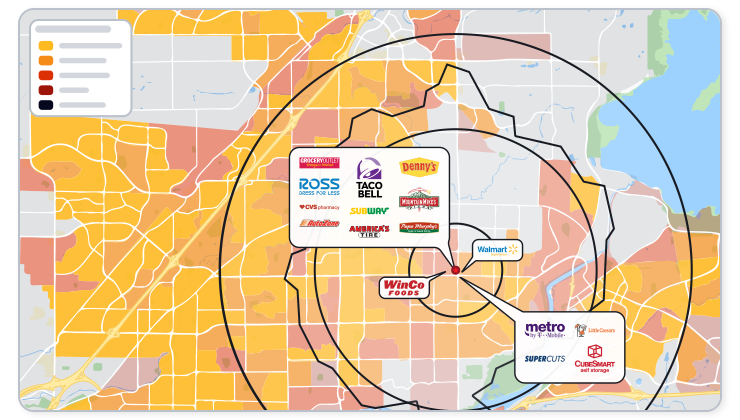
Add our demographic data to a map with the tools available in REGIS Online. See the demographic trends in your market visually and make better decisions based on the best data available.
Show the demographic trend in your market with a demographic shading in REGIS Online. Perfect for visual learners, these thematically shaded maps help reveal shifts in a market.
See the data broken out for each radius ring, drive time or custom polygon you have around your site with our demographic reports. Also see zip code, city or county trade areas around your sites.


 Professional Format
 Compare Demographic Data
 Void Analysis Report
 Batch Reports
 Unlimited Reports